Mobile Load Tax Calculator Pakistan 2026
Find out exactly how much balance you receive after withholding tax deduction on any recharge.
Recharge Amount (PKR)
We've all been there: you recharge your account to activate a bundle, but the final balance is less than what the package requires. Instead of guessing, use our Mobile Load Tax Calculator to determine the exact amount of balance that you receive after taxes.
Load amount vs Balance after Tax
| Recharge Amount | Tax Deducted (12.5%) | Balance You Receive |
|---|---|---|
| Rs. 80 | Rs. 10.00 | Rs. 70.00 |
| Rs. 100 | Rs. 12.50 | Rs. 87.50 |
| Rs. 150 | Rs. 18.75 | Rs. 131.25 |
| Rs. 200 | Rs. 25.00 | Rs. 175.00 |
| Rs. 300 | Rs. 37.50 | Rs. 262.50 |
| Rs. 500 | Rs. 62.50 | Rs. 437.50 |
| Rs. 1,000 | Rs. 125.00 | Rs. 875.00 |
| Rs. 1,500 | Rs. 187.50 | Rs. 1,312.50 |
| Rs. 2,000 | Rs. 250.00 | Rs. 1,750.00 |
| Rs. 3,000 | Rs. 375.00 | Rs. 2,625.00 |
| Rs. 5,000 | Rs. 625.00 | Rs. 4,375.00 |
Withholding Tax @ 12.5% under Section 236, Income Tax Ordinance 2001 · Tax Year 2025–26
Applies uniformly to Jazz, Zong, Telenor, Ufone and Warid prepaid recharges
Current Mobile Load Tax Rate in Pakistan
Withholding tax of 12.5% is applied to every recharge on prepaid SIMs. That is why you do not receive the full credited balance. In addition, 19% General Sales Tax (GST) is applied to every service (calls, SMS, or data) you purchase.
For example, if you recharge Rs 100, you will receive only Rs. 87.50 due to the 12.5% withholding tax. (PTA)
Is Load Tax Same For All Companies

Because this tax is set by the government, it is the same for all companies.
Ufone: 12.5%
Telenor: 12.5%
Zong: 12.5%
Jazz: 12.5%
No matter which network you use, the balance you receive after withholding tax is the same.
If you are employed by any of these telecommunication companies, you can use our Pakistan Tax Calculator to accurately estimate your monthly take-home salary and annual tax liabilities.
How to Use Load Tax Calculator
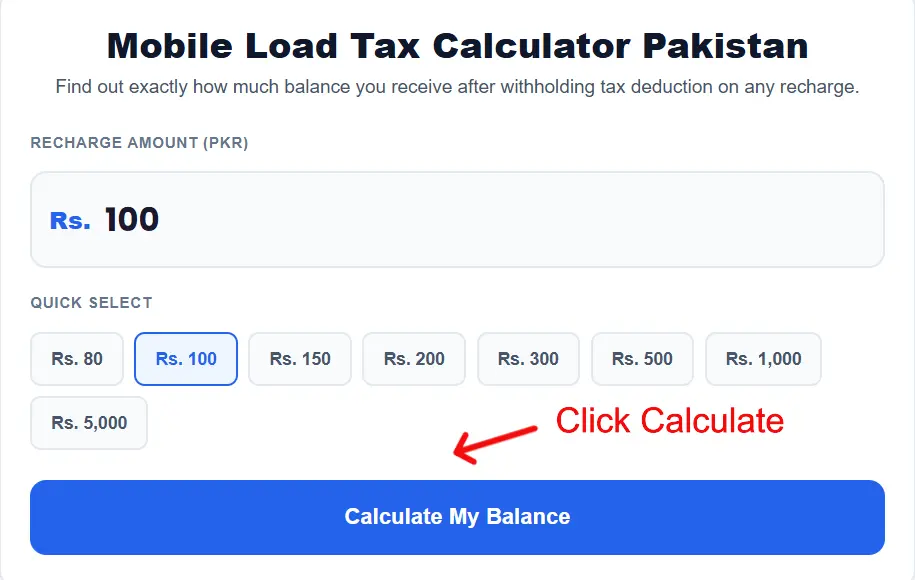
1. Enter Your Recharge Amount Type the amount you plan to load on your mobile in the input field. You can also use the quick select buttons below the field to instantly pick a common recharge amount like Rs. 100, Rs. 200, or Rs. 500.

2. Click Calculate Once your amount is entered, press the "Calculate My Balance" button. The calculator will instantly show your tax deducted and the exact balance you will receive on your SIM.
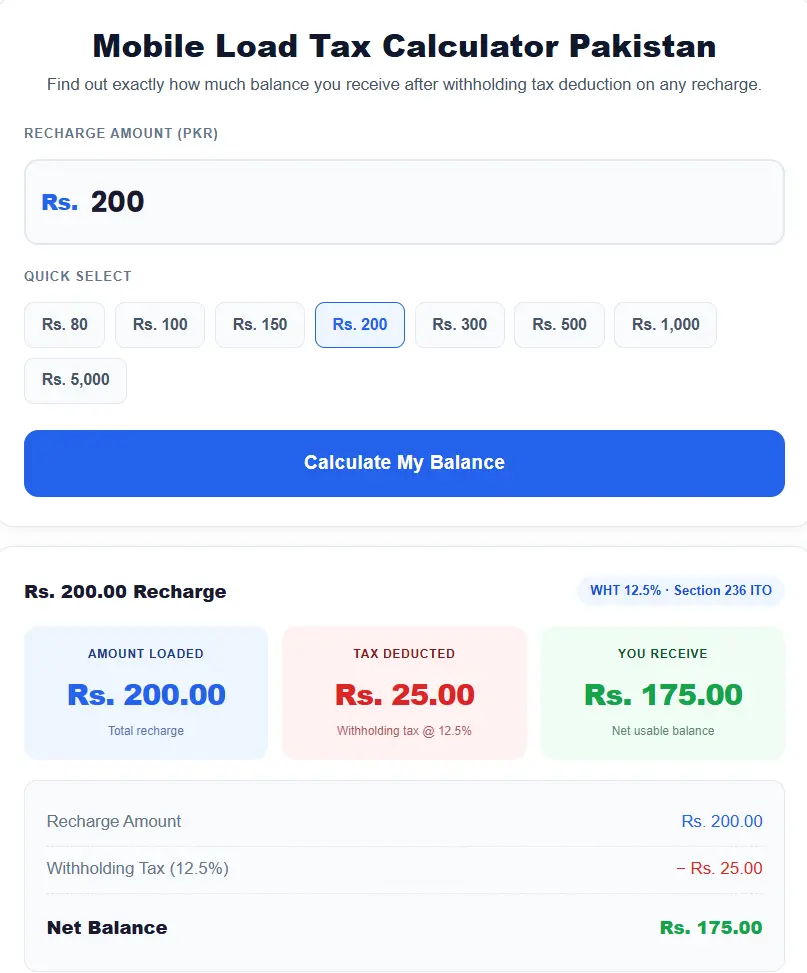
3. Read Your Results Three boxes will appear showing your total recharge amount, the withholding tax deducted (12.5%), and your final usable balance. The breakdown below confirms the exact rupee deduction so there are no surprises.
Formula Used in This Calculator
The formula behind this calculator is straightforward. When you recharge your mobile in Pakistan, the government deducts a 12.5% Withholding Tax (WHT) from your recharge amount at the time of loading. This tax is collected under Section 236 of the Income Tax Ordinance, 2001 and applies to all prepaid mobile networks including Jazz, Zong, Telenor and Ufone
The formula used is:
Net Balance = Recharge Amount − (Recharge Amount × 12.5 ÷ 100)
So if you load Rs. 100, the tax deducted is Rs. 12.50, and your usable balance becomes Rs. 87.50. The same logic applies to any amount you recharge — the calculator simply multiplies your entered amount by 12.5%, subtracts it, and shows you the remaining balance. No hidden charges, no complex math — just a transparent look at what you actually receive on your SIM.
Practice the Math Behind the Calculation
If you want to practice similar arithmetic and percentage problems step by step, you can explore calculadora alicia, an online resource for working through different mathematical calculations.