How to Check PTA Tax by IMEI Number Online
Are you planning to buy a new phone, or do you already have one and want to check how much tax you need to pay to get PTA approval?
In this article, I explain step by step how to check PTA tax by IMEI — so you can verify whether your device is approved and find out exactly how much you need to pay to use local networks.
Let’s get started.
Finding IMEI
The very first step in checking PTA tax by IMEI is locating your 15-digit IMEI number — and there are multiple easy ways to find it on any device.
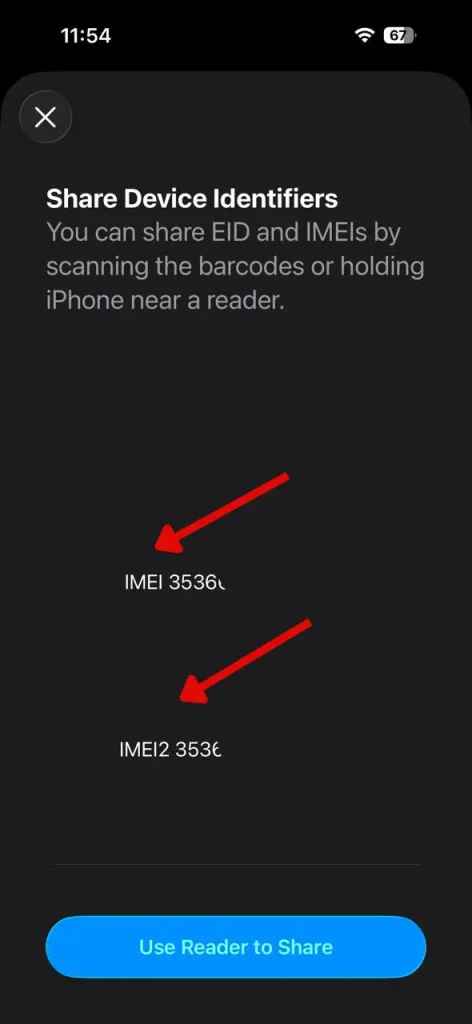
1. Check the IMEI using a dial code
You can check the IMEI using a code. Simply dial *#06# on your phone to display the 15-digit IMEI on the screen.
2. Check the phone’s original box
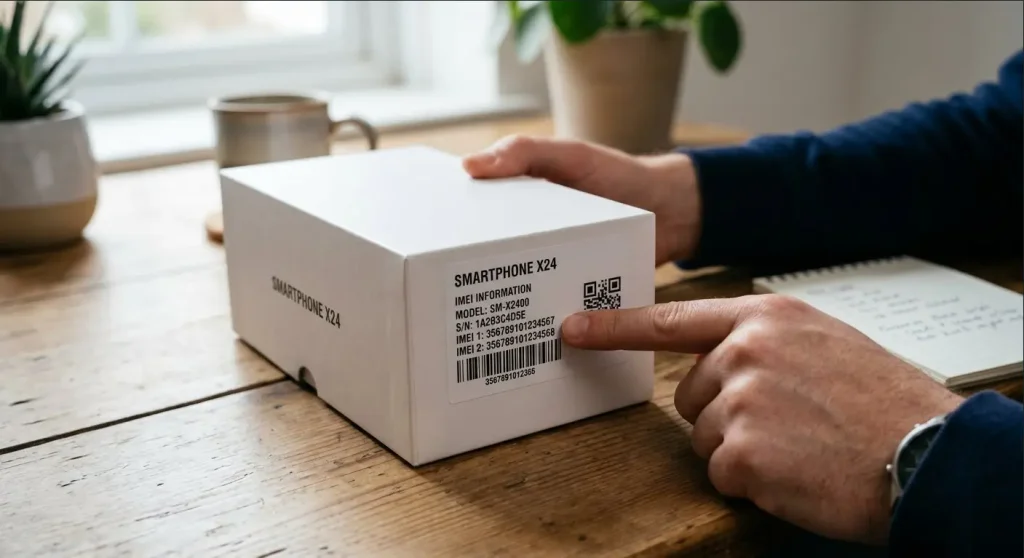
The IMEI number is also printed on your phone’s box. Check the box label to find the IMEI number.
3. How to Find an IMEI Using Your Google Account
1. Sign in on another device using the same email address.
2. Click your profile picture (or initial).
3. Click “Manage your Google Account.”
4. Click “Security,” then go to “Your devices.”
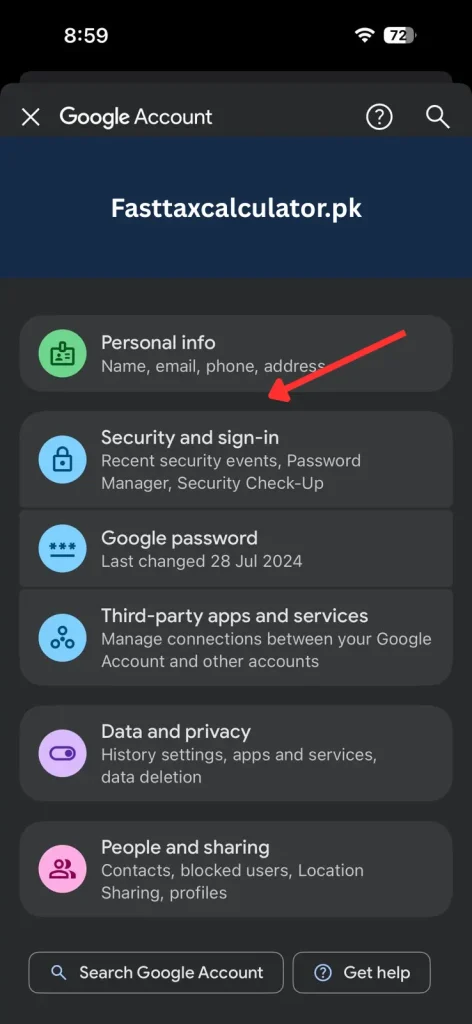
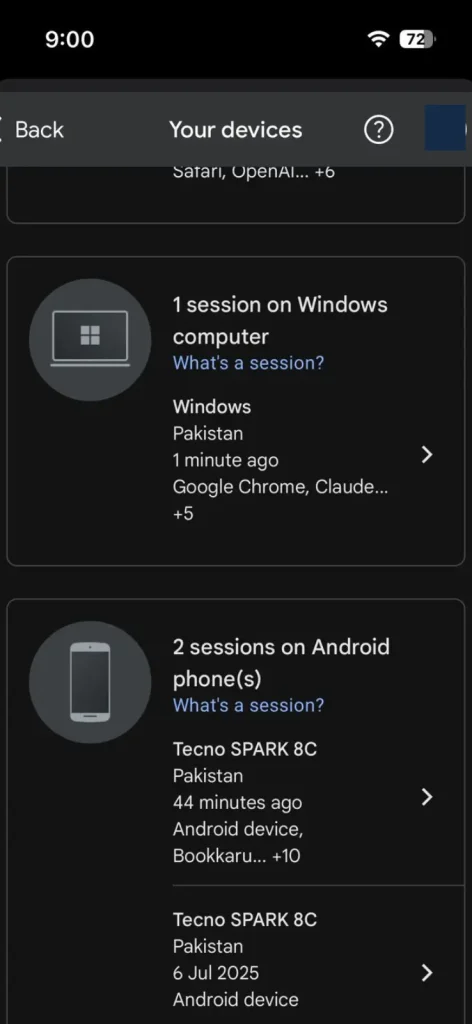
5. Select “Manage all devices.”
6. Select the device whose IMEI you want to check.
7. Enter your Google Account password.
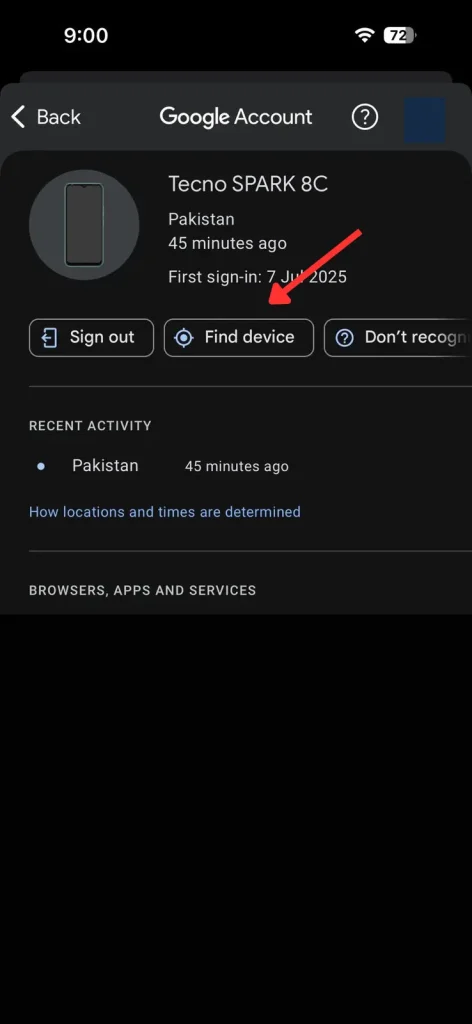
8. Click “Find a device” (or “Find My Device”).
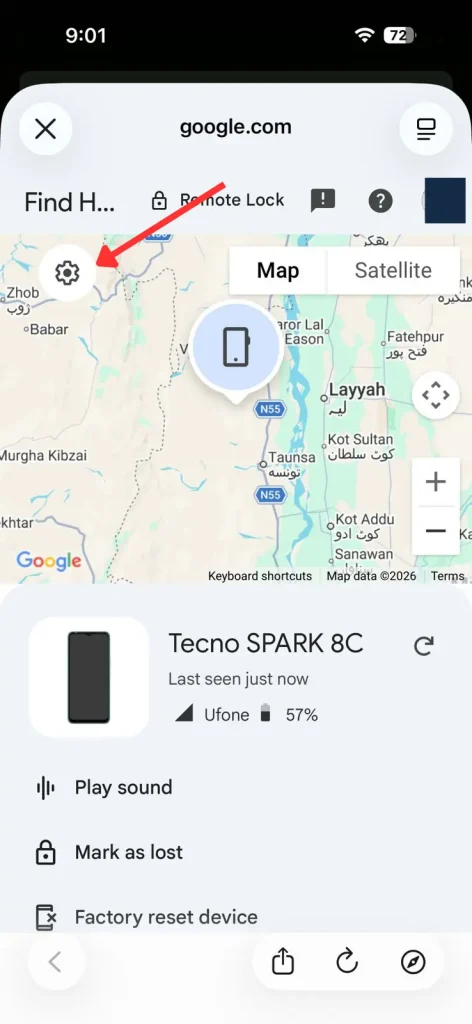
9. Click the Settings icon.
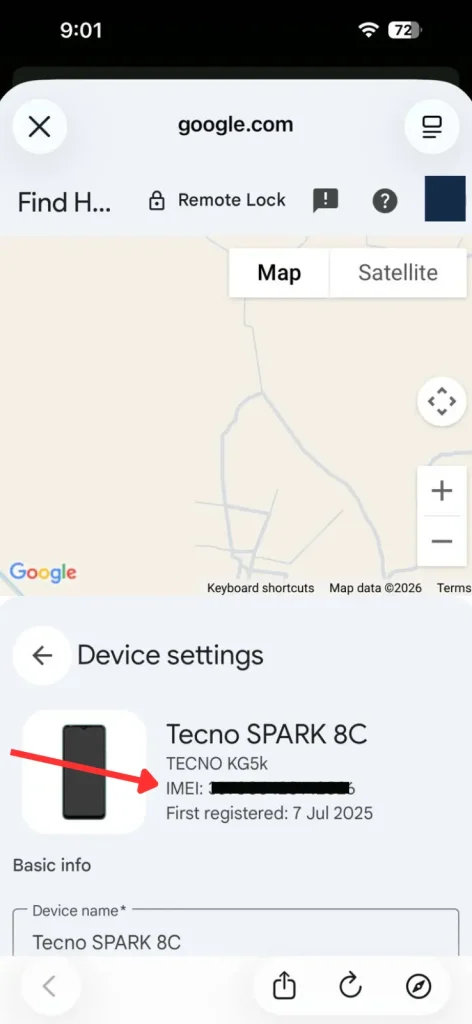
10. The IMEI will be displayed.
Check Your Status
There are two ways to check whether your device is PTA-approved.
SMS
Open your phone’s Messages app, paste your IMEI, and send it to 8484. You will receive an SMS with your device status.
However, if you want to check how much PTA tax you owe, you can use our PTA Tax Calculator.
Online
Simply go to https://dirbs.pta.gov.pk/.
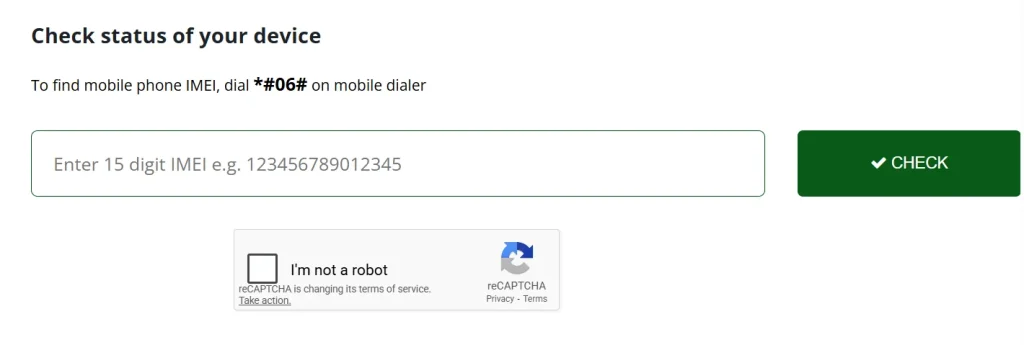
Enter the IMEI number.
It will show you three statuses:
(i) Compliant/Valid (ii) Non-compliant (iii) Blocked
If the status is Compliant/Valid, the device is PTA-approved and you can use it in Pakistan without paying any PTA tax.
If the status is Blocked, the device can’t be registered in Pakistan.
If the status is Non-compliant, the device is not PTA-approved, but you can register it by paying the PTA tax.
Once you’ve confirmed your device’s compliance status, the next step many users want to know is exactly how much they’ll owe. If you’re trying to estimate the duty before paying — or planning to bring a phone from abroad — our dedicated tool makes it simple. Use our PTA mobile tax check online calculator to get an instant estimate based on your IMEI, device value, and import category. It takes less than a minute and helps you avoid surprises at the time of payment.