Pakistan Freelance Tax Calculator 2026-27
Calculate your freelance tax based on PSEB registration and income source.
Who is Freelancer?

A freelancer in Pakistan is someone who provides services to clients worldwide.
These services include:
Web design and development
Graphic design
Social media marketing
Content writing
Virtual assistance
Freelancers can provide these services to clients on platforms like Fiverr, Upwork, LinkedIn, PeoplePerHour, and others.
Why Freelancers Must File Taxes (FBR Compliance)
Many people think freelancers don’t have to pay taxes because they don’t earn locally. This is a misconception.
Freelancers must register with the FBR and file taxes to avoid penalties and access certain benefits (discussed later).
Benefits
There are many benefits for freelancers who file taxes, including low withholding tax on banking transactions, reduced taxes on vehicle purchases and registration, housing benefits, and other perks—especially in the IT sector.
Tax Calculation for Freelance Income in Pakistan
There are three categories of freelance income, each with a different tax rate.
- Freelancers Working Digitally and Registered with the Pakistan Software Export Board (PSEB)
If you are a freelancer registered with PSEB, you will be taxed at 0.25% on your taxable income.
Many freelancers invest their hard-earned foreign currency in the latest tech. Before you buy a phone from abroad, use our PTA Tax Calculator to see the exact FBR/PTA duties. This ensures your 'new office gear' doesn't come with a surprise tax bill that exceeds your monthly budget.
- Freelancers Not Registered with PSEB
If you are not registered with PSEB, you will be charged 1%.
- Freelancers Providing Services to Local Clients
The third category includes freelancers who provide services to local (Pakistani) clients and do not work on Fiverr, Upwork, or other international platforms. In this case, your tax will be the same as that of a government-employed person. For this type of calculation, you can use our salary tax calculator.
Registration with PSEB
It is better to register with the PSEB to avoid higher tax rates if you work as a freelancer for clients worldwide.
To register with the PSEB, you will need the following documents:
1. Copy of NTN
2. Copy of CNIC
3. Bank statement issued by the bank in the freelancer’s name only
For renewal, you will need a copy of your income tax return for the current year and a bank account managed through the PSEB portal.
Registration and Renewal Fees
You can register for up to one year only, and you must renew it annually. The registration fee is approximately PKR 5,000–10,000, and the renewal fee is PKR 3,000–8,000.
How to File Income Tax Returns Online in Pakistan
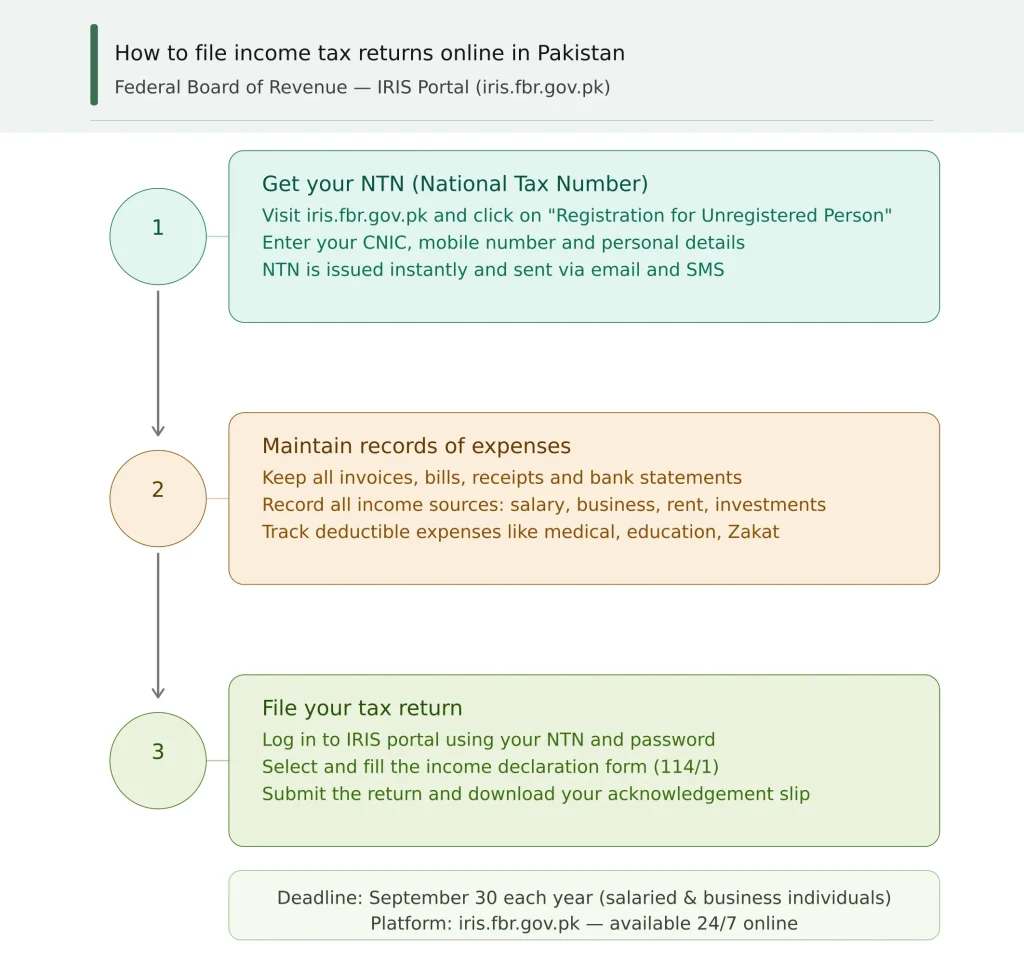
It is quite easy nowadays. You just have to follow the process below.
- Get Your NTN (National Tax Number)
To get your National Tax Number, you must register on the IRIS portal online or through the mobile app.
- Maintain Records
It is important to keep records of income earned locally and internationally, as well as your expenses and loans, to calculate your taxable income.
- File Your Tax Return
File your tax return on the IRIS portal or via the mobile app, typically before September 30.
How to Use Freelance Tax Calculator
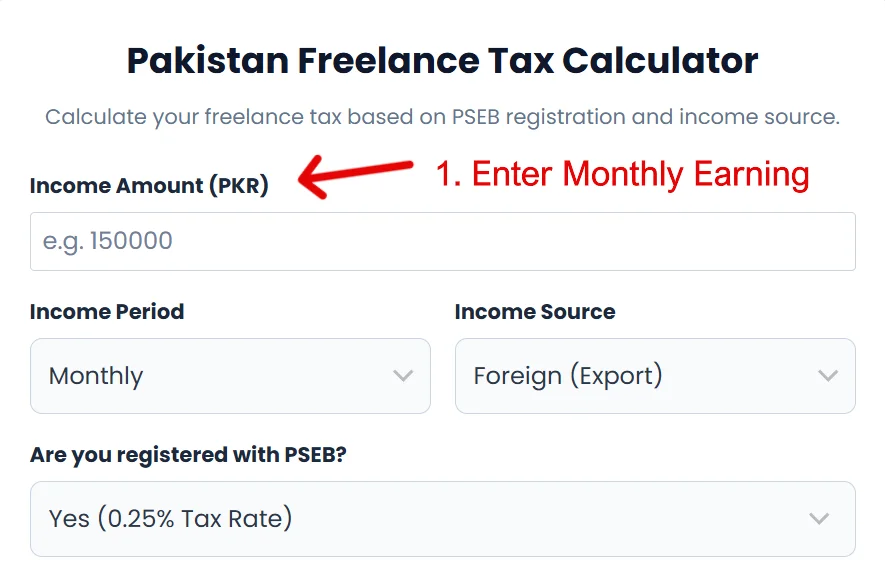
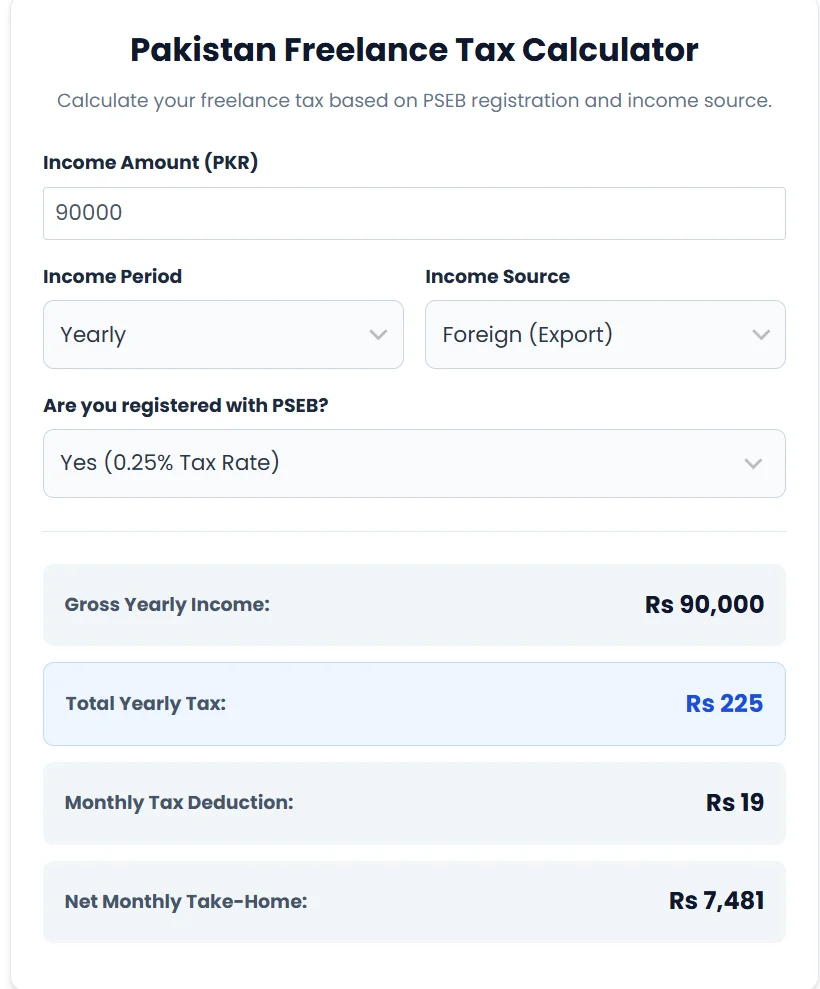
- To use a freelancer tax calculator effectively, start by accurately entering your monthly income.
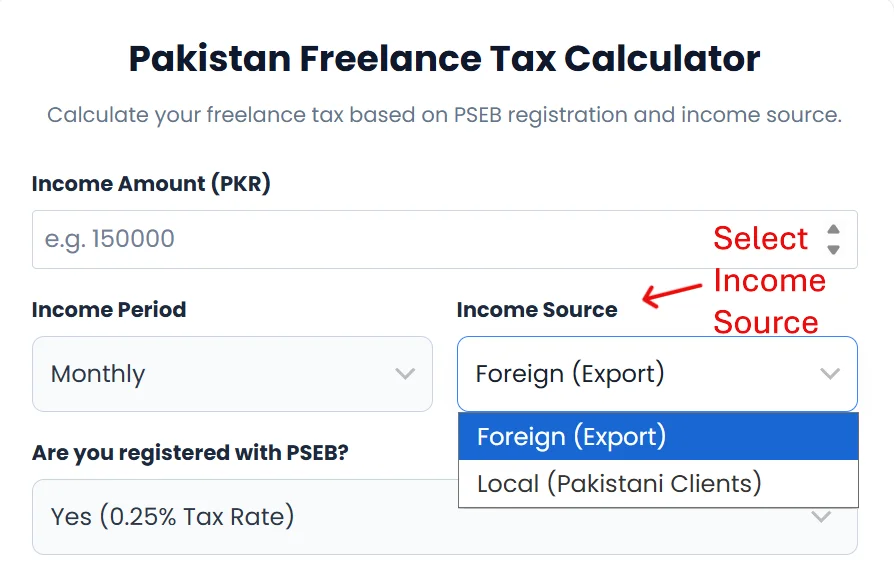
2. Next, select your income source. Your income source—such as foreign export (freelance projects, online gigs, or commissions) or local clients—can have different tax implications.
3. If you’re registered with the PSEB, be sure to indicate that status, because the tax rate for registered freelancers is 0.25%, while the rate for non-registered freelancers is 1%.
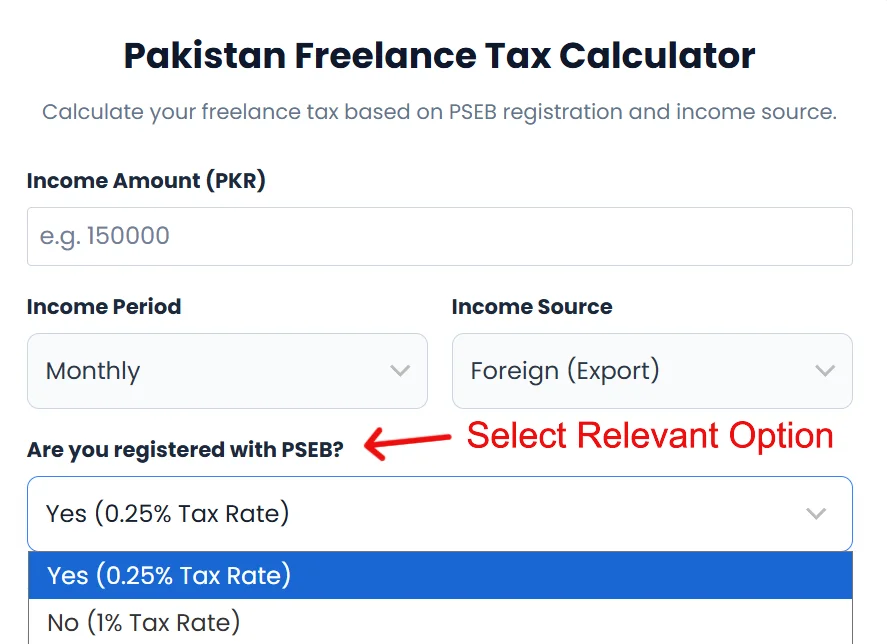
4. Once you’ve filled out these fields, the calculator will automatically provide an overview of your monthly tax liabilities. It will also show your monthly take-home pay, annual tax, and annual take-home pay.
Key Benefits of Using a Freelance Tax Calculator
Simplify Tax Calculations for Freelancers
Freelancers no longer need to do complex calculations to estimate their tax liability.
We’ve done the work for you—just enter your income. Our calculator instantly shows the tax amount you owe.
User-Friendly, Accessible Options
Our calculator’s interface is simple and makes it easy to calculate your tax in just one click.
In addition, the calculator includes options such as PSEB registration, so you can estimate the correct amount whether you’re registered or not.
Save Time and Increase Efficiency
Now you don’t have to do complex math or accounting calculations to find the right amount. You can focus on your freelance work, meet deadlines, and rely on us for the calculations.
Just enter your taxable income, and we’ll show you the tax you owe and your take-home pay.
Accurate and Up to Date
We have designed this tool using the latest available information, and it is valid for the 2026–27 tax year.
Secure and Confidential
Your information is secure and cannot be viewed by anyone else. To calculate your tax, we don’t require sensitive information such as your NTN, CNIC, or any supporting documents.