Supply of Goods Tax Calculator Pakistan 2025–2026
Calculate withholding tax on supply of goods based on the latest FBR Section 153 rates.
Pakistan Supply of Goods Tax Calculator
The Pakistan Supply of Goods Tax Calculator is a digital tool designed by FastTaxCalculator to calculate business taxes for the fiscal year 2025–26. Whether you’re accounting for zero-rated exports or specific Federal Excise Duty (FED), this online tool eliminates the need for manual calculations.
Tax calculations can be complex and often require strong math and accounting knowledge. Whether you are a trader, manufacturer, or retailer, you can quickly calculate your tax obligations without fear of mistakes.
What is Supply of Goods Tax in Pakistan
This tax applies to all businesses that supply goods to registered buyers. It is a withholding tax collected when payment is received from the buyer, under the Income Tax Ordinance, 2001.
Who Needs to Pay the Supply of Goods and Services Tax?
- Registered businesses – Any company or individual registered for sales tax must charge and remit tax on the goods and services they supply.
- Manufacturers and producers – Businesses that produce or assemble goods are required to charge tax when those goods are sold.
- Importers – Anyone bringing goods into Pakistan must pay the applicable tax at the time of import.
- Wholesalers and distributors – Those who sell goods in bulk to retailers are also responsible for collecting and remitting the tax.
- Retailers – Shops and online sellers that supply goods directly to consumers must include tax in their prices (if registered).
- Service providers – Individuals or companies offering taxable services (such as consultancy or digital services) are required to charge and remit tax.
- E-commerce sellers – Online businesses that sell products or services fall under sales tax rules and must comply if they meet the registration criteria.
- Certain unregistered persons (in specific cases) – In some situations, tax may still apply through withholding or indirect mechanisms, even if the person is not formally registered.
ATL vs Non-ATL Impact
There is a significant difference between filers and non-filers. If you file taxes, your tax bill may be about half of that of a non-filer. For salaried individuals, you can use our Tax Calculator to calculate tax obligation.
Features of Supply of Goods Tax Calculature
Accuracy
We developed this calculator using the latest FBR tax slabs, so you don’t have to worry about its accuracy. We have also provided multiple options, from filer status to the category of goods, so users can select the relevant options and avoid mistakes.
Updated Tax Slab
The tool is built using the latest available tax information for fiscal year 2025–26, ensuring you don’t receive outdated results.
User Friendly Interface
We developed this tool in a simple, easy-to-use way so nontechnical people with little experience can calculate their tax expenses without unnecessary complexity.
No Registration Required
You don’t need to sign up or follow a lengthy process to be able to use it. Simply select the relevant fields, enter your information, and the tool will calculate your tax for you.
Applicable to Every Business Owner
Whether you're a trader, merchant, or tool producer, our calculator supports a wide range of business types.
How To Calculate Tax Step By Step?
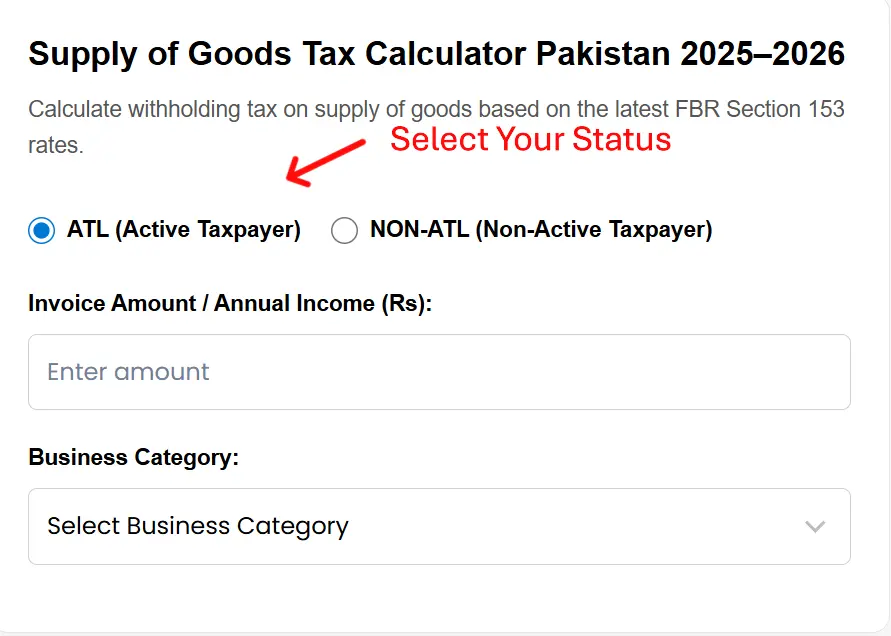
Toggle Between ATL and Non-ATL Status Instantly: Before entering your figures, select your taxpayer status. This allows you to compare the tax impact of being an active versus non-active taxpayer in real-time.
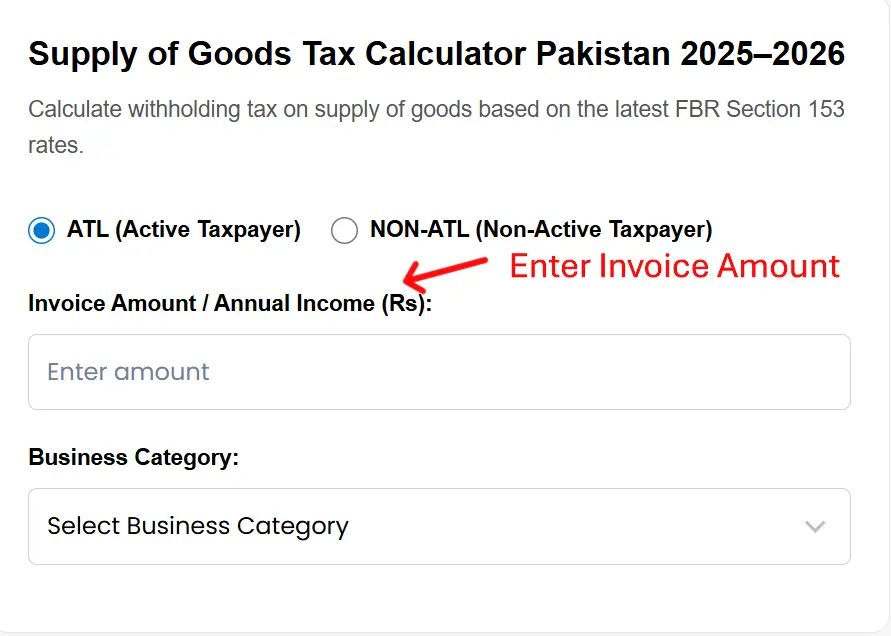
Enter Invoice Amount.
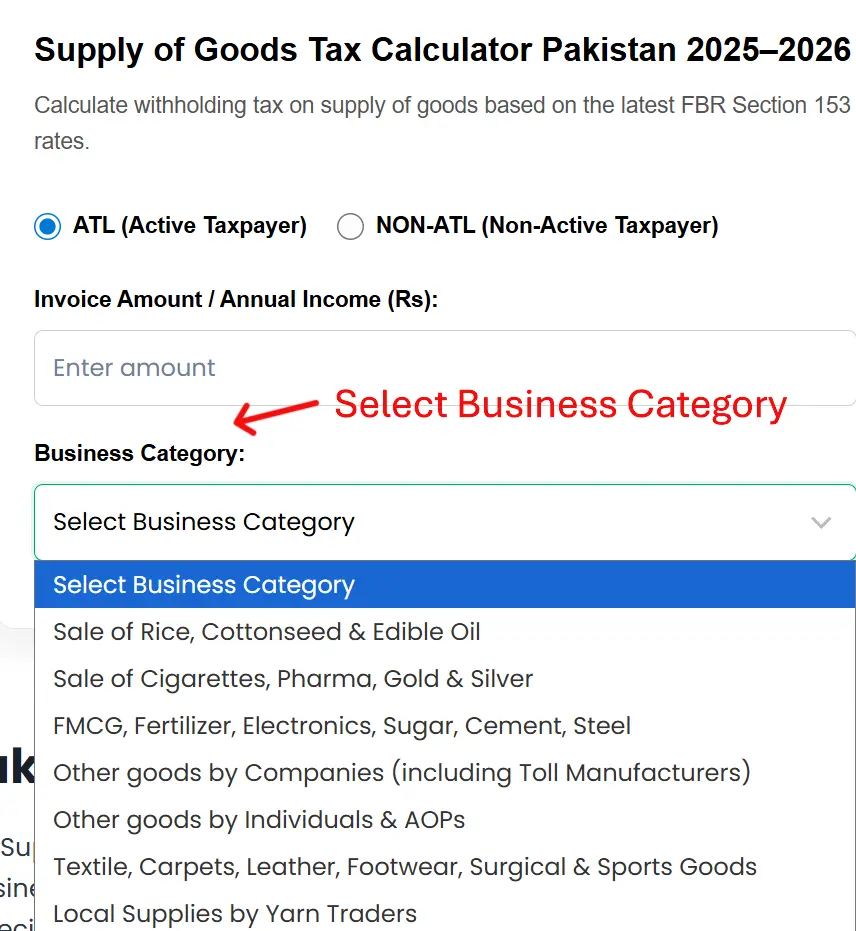
Select Your Specific Product Category: Tax rates under Section 153 vary significantly depending on what you are supplying—whether it's FMCG, pharma, or general goods. Use the "Business Category" dropdown to find your exact industry. By choosing the correct category, the tool applies the precise percentage mandated by the FBR, ensuring your "Net Payable" amount is accurate to the rupee.
Automatic Exemption Threshold Check: The calculator features a built-in safety check for small transactions. If your entered amount is PKR 75,000 or below, the tool will automatically reflect a 0% tax rate. This helps you quickly identify whether a specific invoice falls under the mandatory withholding tax threshold or if it is exempt from deduction.
Formula
To make the calculation process transparent and reduce uncertainty about the results, we are disclosing the formula used in this calculator to help you determine the tax you owe on income generated from a supply-of-goods business.
Tax liability = net profit × tax rate
Tax liability is the amount you must pay to the FBR. Net profit is the profit generated from the business, and the tax rate can be found in the tax slab below for supply-of-goods business owners.
For example, if a business earns a net profit of PKR 500,000 and the applicable tax rate is 15%, its tax liability would be PKR 75,000.
This means the business must pay PKR 75,000 to the FBR based on its earnings.
Income Tax Slab
| Business Category | ATL (Active Taxpayer) | Non-ATL |
|---|---|---|
| Sale of rice, cottonseed & edible oil | 1.5% | 3.0% |
| Sale of cigarettes, pharma products, gold & silver | 1.0% | 2.0% |
| FMCG, Fertilizer, Electronics (exclusive of mobile phones), Sugar, Cement, Steel & and Edible Oil | 0.30% | N/A |
| Other goods (Companies) | 10.0% | 20.0% |
| Other goods (AOPs & Individuals) | 5.50% | 11.0% |
| Textile, Carpets, Leather, Footwear, Surgical & Sports Goods | 1.0% | 2.0% |
| Local supplies by yarn traders | 0.5% | 1.0% |
How Does Our Calculator Ensures Security
To improve security, we ensure our calculators don’t rely on any server-side programming. We also use SSL/TLS to encrypt data in transit and help prevent unauthorized access. We don’t store any data you enter on our website.
Frequently Asked Questions (FAQs)
Support and Contact Information
We are committed to providing you with the most accurate and user-friendly tax tools in Pakistan. If you have any questions regarding the Supply of Goods Tax Calculator, encounter a technical issue, or notice a discrepancy based on the latest FBR circulars, our team is here to help. We value your feedback as it helps us maintain the integrity of our calculations. For personalized assistance, detailed queries, or suggestions for future tool updates, please feel free to reach out to us directly at admin@fasttaxcalculator.pk. We aim to respond to all inquiries promptly to ensure your tax compliance remains seamless.